Flipper
Apps for the Flipper Zero: a 128×64 screen, a d-pad and a buzzer.
Hanzi Cards study
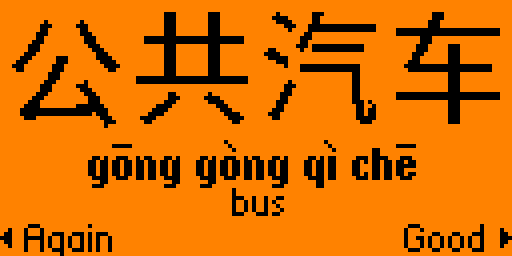
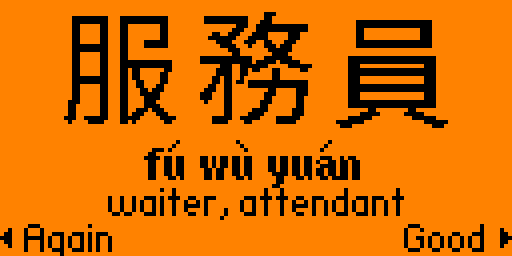
Mandarin flashcards: simplified or traditional characters, pinyin with tone marks, and the tones played on the speaker.
- HSK 1 to 4, and four small decks. 150, 156, 292 and 601 words, plus Numbers and time, Food, Travel and Measure words, each deck with its own progress. HSK 1 and 2 come in a rough learning order; HSK 3 and 4 are shuffled.
- Simplified or traditional, switchable at any time, with the characters drawn from Noto Sans CJK.
- You hear the tones. When a card flips, the speaker glides through each syllable's tone contour - high and flat, rising, dipping, falling - so you hear the shape of the word.
- A tone quiz. Instead of flipping the card, pick each syllable's tone on the d-pad: up for the first, right for the second, down for the third, left for the fourth. The answer shows any wrong syllables inverted, and the card only counts as Good if every tone was right.
- Spaced over days. A card you know comes back after 1, 3, 7, 14, 30 and then 60 days, and one you miss comes back the same day until you get it, with a daily limit on new cards. A stats screen shows what's due, today's reviews and your streak, and you can browse a whole deck without touching your progress. Progress is saved to the SD card.
python3 -m pip install --upgrade ufbt
git clone https://github.com/rseufert/hanzi_cards && cd hanzi_cards
ufbt launch     # Flipper on USB, qFlipper closed
GitHub · Flipper Apps · Controls · Tone quiz · Adding words
Step Seq music
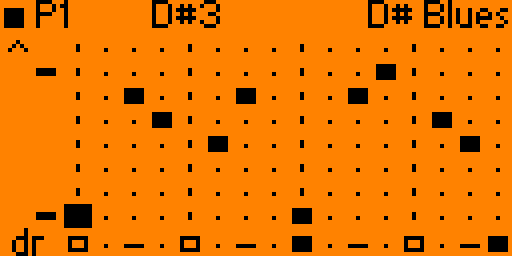
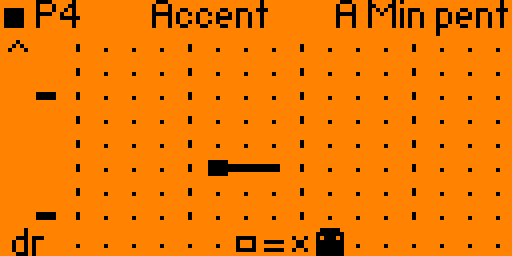
A step sequencer for the Flipper's piezo speaker, with a melody grid and a drum row. The speaker can only play one tone at a time, so a drum takes the first few milliseconds of its step and the note gets the rest.
- Always in key. One note per step across 15 pitch rows that follow the scale you pick: minor or major pentatonic, minor, major, blues or chromatic, in any root.
- Notes that do more than beep. A note can be short or held for up to eight steps, and an accent plays it a level louder. A chord is played chiptune-style, cycling fast through its notes, since the speaker has one voice: the octave, the fifth, or a triad from the scale.
- Drums from square waves and noise. A kick, snare, hi-hat, open hat, clap and tom on the bottom row.
- Eight patterns and a song. Each pattern is 16 or 32 steps with its own tempo (60 to 240 bpm), swing, scale, root and octave, and a song chains up to 16 of them. Transpose, shift, a random melody and undo help build variations, and everything is saved to the SD card when you quit.
- Export writes the melody as a file the Flipper's own Music Player can play.
python3 -m pip install --upgrade ufbt
git clone https://github.com/rseufert/step_seq && cd step_seq
ufbt launch # Flipper on USB, qFlipper closedNW Crawl game
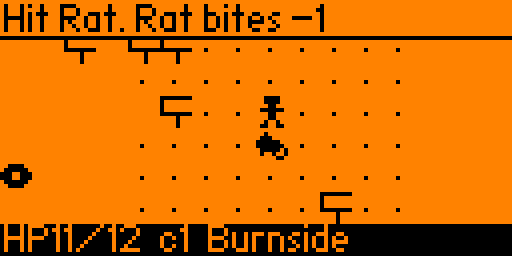
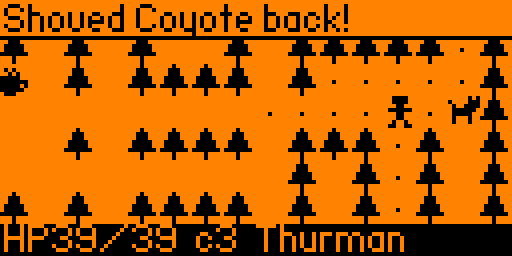
A tiny roguelike set on the alphabet streets of NW Portland. Start on Burnside and head north one street per floor - Couch, Davis, Everett, Flanders, all the way to Thurman - until you reach the Witch's Castle in Forest Park.
- Nineteen streets and a castle. Each floor is a randomly generated maze of rooms, corridors and side alleys under fog of war: wide open blocks in the south, long industrial corridors further north, and the trees of Forest Park at the end.
- The locals. Rats bite, crows fly over walls, raccoons steal a coffee and run, rogue e-scooters charge down a straight line and coyotes hunt in pairs. On the northern streets a Sasquatch lurks by the exit, invisible until he's two tiles away.
- An umbrella and a slingshot. The umbrella, found on Davis, shoves a local two tiles back and stuns it. Beat Sasquatch for his slingshot, which fires pebbles up to five tiles.
- Coffee, donuts and IPAs. Coffee heals, a pink-box donut raises your max HP, a hazy IPA raises your attack and a used book shows you the floor.
- Landmarks. Powell's Books on Couch, the food carts on Kearney, the streetcar on Lovejoy, and Joe's Cellar on Pettygrove, where the bartender pours you one stiff drink.
- Saved at every street. Quit and pick the walk up from the start of the street you reached. The title screen keeps your furthest street, your wins and your fastest win.
- The Witch hexes you from range, summons crows and vanishes when hit.
python3 -m pip install --upgrade ufbt
git clone https://github.com/rseufert/nw_crawl && cd nw_crawl
ufbt launch # Flipper on USB, qFlipper closedYulia's Cats pet
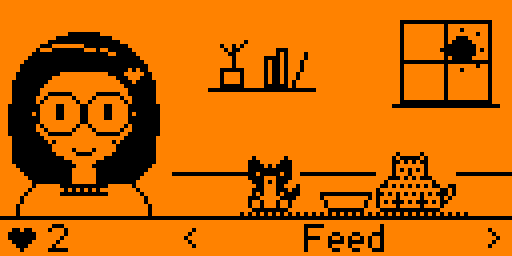
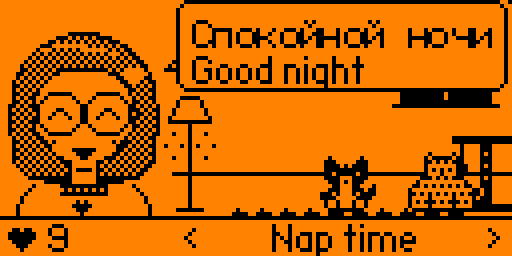
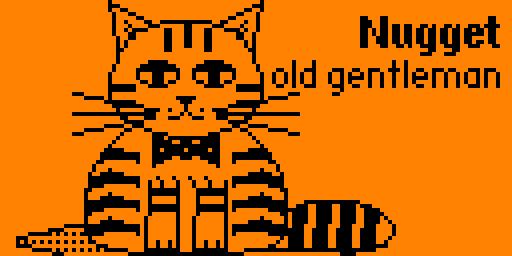
A cozy virtual pet. Yulia shares a little room with her two cats: Nugget, an elderly tiger-striped gentleman with white socks, and Baby, a chonky grey cat with big bright eyes.
- Feed, play and pet. Dinner for both, a treat each, yarn to chase, or the laser dot, which Baby cannot resist and Nugget cannot be bothered with. Pet one and the Flipper purrs.
- The cats get on with their day. Nugget watches the birds from the window sill and keeps an eye on the food dish; Baby naps in the patch of afternoon sun, follows Nugget around and nudges him off his spot by the dish.
- The room follows the clock. The sun crosses the window, the sky goes dark in the evening and the lamp comes on, and late at night the cats get sleepy on their own.
- Yulia speaks Russian to the cats now and then, with the English underneath. She also reads, makes art and plays her keyboard through the speaker.
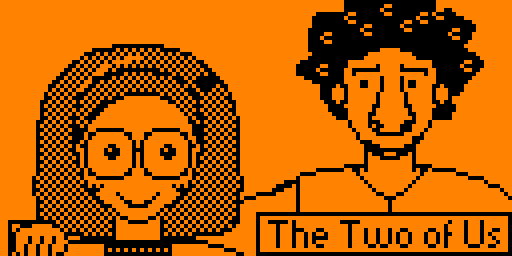
- She reads and draws. While she reads, the page shows a line or two from an old favourite (Austen, Carroll, Tolstoy, Dostoevsky, Mary Shelley, Confucius, Lao Tsu, Kipling's cat who walks by himself, and more), and the title comes up when she closes the book. When she finishes a piece of art she holds it up full screen: portraits of the cats, the two of them, the view from the window, a pair of giraffes, five abstracts after Malevich, Kandinsky and Mondrian, and seven studies drawn fresh each time, among them a fractal cat. A sketchbook keeps everything she has drawn.
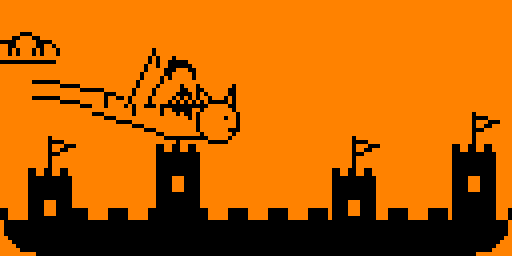
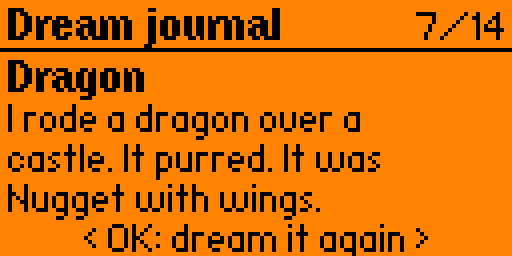
- She dreams. A moment after the lights go out at nap time Yulia drifts off, and a dream plays on the screen: Nugget the size of a hill, a rain of fish for Baby, a night train through the mountains and a gondola in Venice with her tall curly-haired fellow, a dragon ride over a castle (the dragon is Nugget with wings), the cats on the moon, a tunnel of rings with a great cat's eye at the end, and now and then a nightmare, such as a vacuum cleaner the size of a bus. Fourteen in all, each written up in her dream journal, where it can be played again.
- Make the room hers. A wardrobe of nine hair styles in three colours, eight pairs of glasses (or none) and nine sweaters; seven rugs, a shelf plant, a cat tree and fairy lights; a record player in six genres, which everyone reacts to; and a photo album of fifteen milestones to fill, three of them for reading every book, filling the sketchbook and filling the dream journal.
- Nothing bad ever happens. Time passes while the app is closed, so the cats get hungry and want to play, but that's all.
python3 -m pip install --upgrade ufbt
git clone https://github.com/rseufert/yulia_cats && cd yulia_cats
ufbt launch # Flipper on USB, qFlipper closedTricorder tools
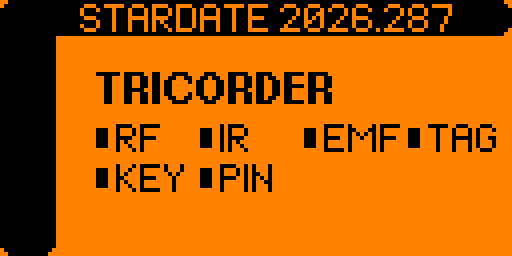
A handheld signal scanner, styled after a certain starship's field instrument. Eight sensors, and one sweep that runs them all. It logs the stardate when it starts.
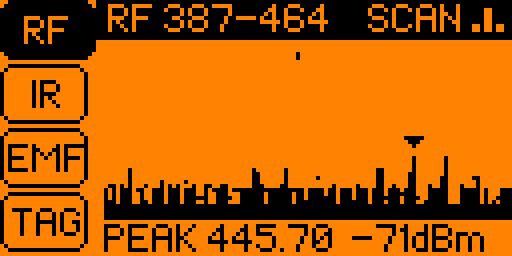
- RF. A Sub-GHz spectrum sweep with peak hold, or a scrolling waterfall. Lock on to the peak to chart its strength over time, hear it as Geiger clicks that quicken as the signal grows, and name any protocol the firmware recognises. It only listens.
- IR. The last infrared signal as a waveform, with its protocol, address and command. Send it back out, or save it to the SD card for the Flipper's own Infrared app.
- NFC, RFID and iButton. Whether a reader field is nearby, which NFC protocols a tag answers to, and 125 kHz fobs, cards and iButton keys.
- A probe and the battery. A GPIO pin's voltage (0 to 2.5 V) as a number and a trace, and the battery's voltage, temperature, charge and current draw.
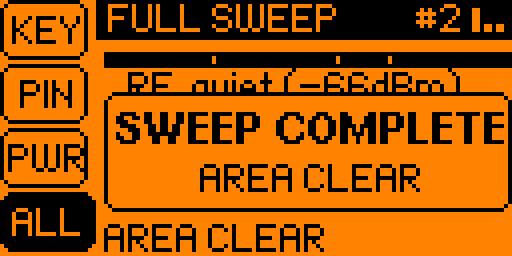
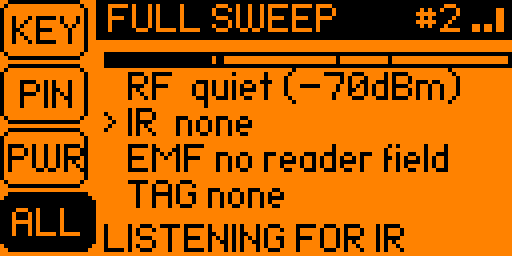
- The full sweep. RF, IR, EMF and TAG in turn, under a progress bar with a notch for each, and a chirp as each sensor takes over. Every pass ends with a report card.
- It announces a contact. A new one on any sensor flashes the panel, buzzes and blinks the LED, and it warbles, higher for stronger signals. Between contacts a dim LED breathes in the colour of the sensor that's scanning.
python3 -m pip install --upgrade ufbt
git clone https://github.com/rseufert/tricorder && cd tricorder
ufbt launch     # Flipper on USB, qFlipper closed
GitHub · Controls · What it transmits · Release 0.3 · Changelog
Jiggler usb
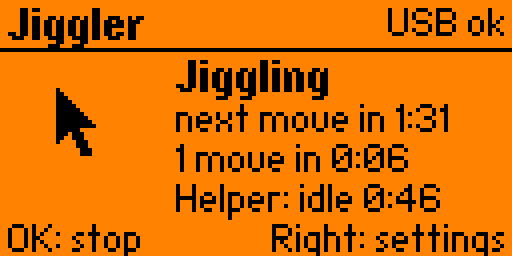
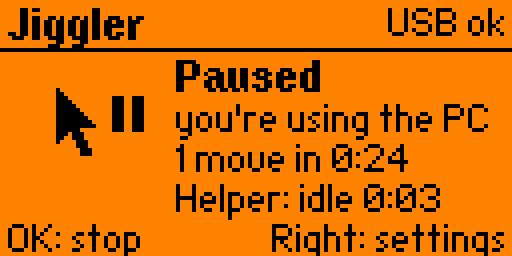
A mouse jiggler that keeps a computer awake without getting in your way. The Flipper plugs in over USB as a mouse.
- Invisible moves. Each move is a 1 px nudge and an immediate nudge back, so the computer's idle timer resets but the pointer never visibly leaves its spot. It can also wiggle, trace a tiny square, or tap F15 or Shift for programs that only watch the keyboard.
- Random timing. Set a shortest and a longest wait, from 5 seconds to 10 minutes, and each move comes at a random moment in between.
- It pauses while you work. A small desktop helper tells the Flipper how long the computer has been idle and whether the screen is locked, over a USB interface of its own, so it needs no special permissions. The jiggler holds off until you've been idle a while. Without the helper it still works, it just can't tell when you're busy.
- Run timers. Stop after 15 minutes to 12 hours, or at a time of day from the Flipper's clock.
- Status at a glance. What it's doing, when the next move is due, how many moves it has made, how long it has been running and what the helper reports. Settings are saved to the SD card.
python3 -m pip install --upgrade ufbt
git clone https://github.com/rseufert/jiggler && cd jiggler
ufbt launch     # Flipper on USB, qFlipper closed
pip install hidapi && python3 helper/jiggler_helper.py     # optional
GitHub · Flipper Apps · Controls · The desktop helper · Release 0.1